Can you hide Explore and keep Search?
Yes, inside limitd. Blocking Explore grid hides the recommended photos and videos while keeping Search available to look up accounts. Instagram’s own recommendation settings change what you see, rather than hiding the whole grid.
Try Instagram’s settings first
If you dislike the recommendations rather than Explore itself, try Not interested. Follow Instagram’s steps:
- Touch and hold a post in Explore.
- Tap Not interested.
This hides the post and helps you see fewer similar posts. It does not remove Explore.
You can also reset recommendations, but Meta says they learn from your activity again. A reset does not leave you with an empty Search page.
What stays available inside limitd?
| Part of Instagram | How it starts in limitd | What that means |
|---|---|---|
| Explore grid | Blocked | The recommended photo and video grid is hidden |
| Search | Available | You can look up accounts; not every kind of search is supported |
| Profiles | Available | You can visit a profile |
| Profile post grids | Allowed | You can see the posts on a profile |
| Individual posts | Allowed | You can open a post |
| Suggested sections | Blocked | Suggested accounts on profiles are hidden |
You can change these settings for each saved account. They do not promise every feature of the regular Instagram app.

Set it up
- Open your account settings in limitd.
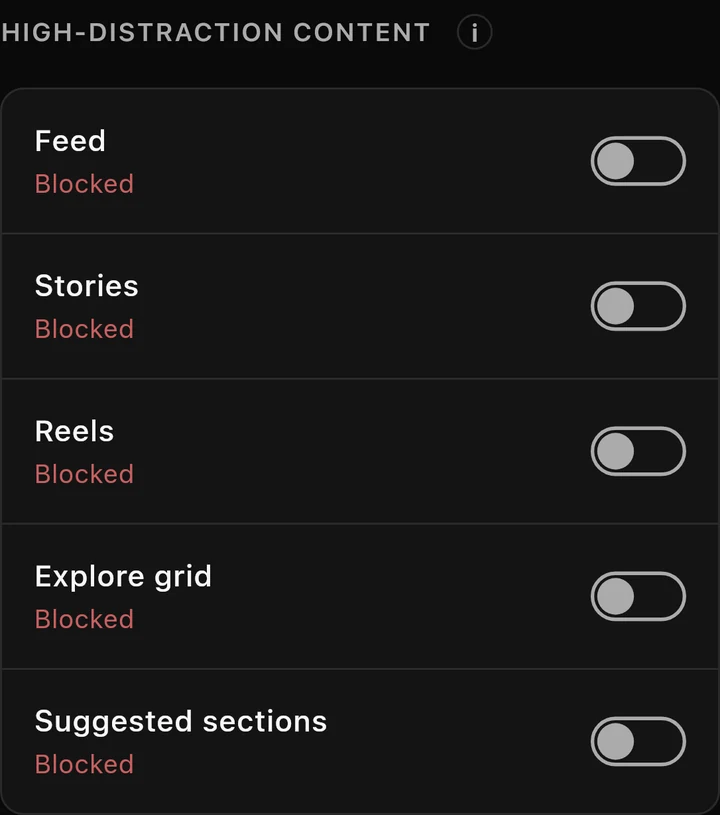
- Under High-distraction content, check that Explore grid is Blocked.
- In your tab settings, keep Search visible.
- Open Search, type a username you know, and open the matching profile.
The control keeps text search available while hiding the photo and video grid. It does not support every hashtag, place or audio search. Instagram changes can also affect what gets hidden.
If Search is missing or Explore comes back
First, check that Search is visible in your tab settings. Hiding a tab and blocking Explore are different choices.
Then check the account you’re using and whether you’ve unlocked Explore for a few minutes. The Focus Points guide explains these short unlocks and the stricter levels that allow only short ones.
Suggested accounts on profiles have a separate setting. To block the whole Instagram app instead, see what Screen Time can do.
Where limitd fits
Use limitd if you want to look up an account without browsing the Explore grid.
See Instagram DMs without the feed for a setup that keeps messages and Search available.
