How do you hide Instagram’s profile suggestions?
For suggestions on your own profile, turn off Show account suggestions on profiles in Instagram in a browser. To hide suggested accounts on profiles you visit inside limitd, use Suggested sections. Suggested posts in your feed have a different setting.
Choose the right setting
| What you want | Setting to use | What to know |
|---|---|---|
| Turn off suggestions on your own profile | Instagram’s Show account suggestions on profiles | Also stops your account appearing as a suggestion on other profiles; does not hide every suggestion you see |
| Hide suggested posts in your feed | Instagram’s Not interested or Snooze | Snooze pauses them for 30 days, in the feed only |
| Hide suggested accounts on profiles you visit inside limitd | Suggested sections | Starts blocked; does not remove every recommendation or ad |
| Hide Explore’s photo and video grid inside limitd | Explore grid | Separate from profile suggestions; Search stays available |
Turn off suggestions on your own profile
Instagram’s help gives these steps for a desktop or mobile browser:
- Open Instagram in a browser and go to your profile.
- Choose Edit profile.
- Turn off Show account suggestions on profiles.
- Choose Submit.
This turns off the similar-account suggestions people see when they tap Follow on your profile. Your account also stops appearing as a suggestion on other profiles.
It does not hide every recommendation you see, or stop people finding your account.
Pause suggested posts in your feed
For posts in your feed, follow Instagram’s feed instructions:
- Open Options above a suggested post.
- Choose Not interested.
- Choose Snooze to pause all suggested feed posts for 30 days.
That pause does not apply to suggested accounts on profile pages.
Hide suggested accounts inside limitd
Open your saved account’s settings. Under High-distraction content, find Suggested sections and check that it is Blocked. This hides suggested-account sections on profiles you visit inside limitd.
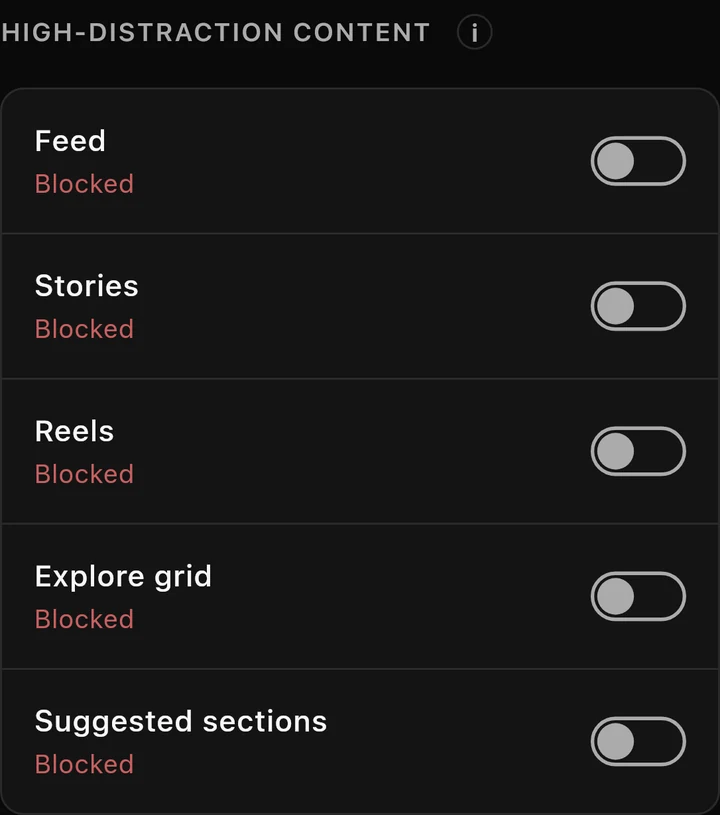
You can still visit profiles. Under Intentional content, Profile post grids and Individual posts start allowed, so you can see and open posts. You can block those separately too.
These settings belong to each account. Check them if you’ve changed them or unlocked something for a few minutes.
Instagram treats suggested posts and ads differently. These controls do not remove every recommendation or ad.
Related settings
For recommendations on the Search page, see Explore grid. The Focus Points guide explains opening blocked content for a few minutes; stricter levels allow only short unlocks.
If you haven’t added your account, start with signing in to Instagram inside limitd.
Where limitd fits
Use Instagram’s setting for suggestions on your own profile. Use limitd to hide suggested-account sections on profiles you visit.
See Instagram DMs without the feed for the other content choices.
